
Spin Panda Casino Mobile App Overview
The Spin Panda Casino application is designed to give players fast and smooth access to casino games directly from their mobile or desktop device. Instead of downloading a traditional app from an app store, Spin Panda uses a progressive web app system. This allows users to install the platform safely through their browser while keeping full functionality.
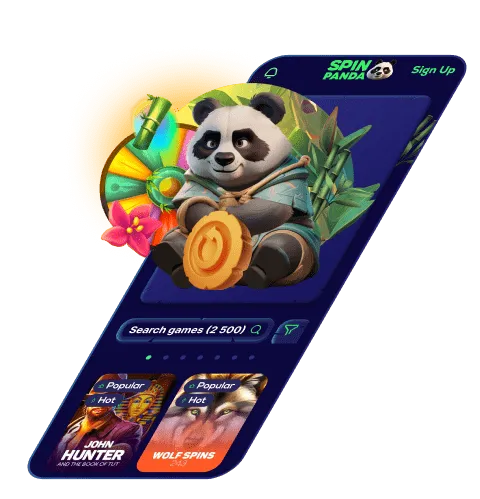
With the Spin Panda app, players can access slots, live casino games, bonuses, and account features in one place. The interface shown in the screenshots confirms a clean layout, touch friendly navigation, and optimized performance across devices.
Why Use the Spin Panda Casino App
Using the Spin Panda application provides a more direct way to play compared to a regular browser session. Once installed, the app opens faster, stays logged in, and feels similar to a native mobile application.
The app adapts automatically to different screen sizes and keeps navigation simple. Game thumbnails, search filters, and menus are clearly visible, making it easy to switch between slots, live games, and promotions without extra loading steps.
Spin Panda App Compatibility and Supported Devices
The Spin Panda Casino app works across multiple platforms as shown in the screenshots:
- Android devices using Chrome
- iPhone and iPad using Safari
- Windows computers using Chrome
- macOS devices using Chrome
No separate downloads are required from Google Play or the Apple App Store. Installation is done directly from the official Spin Panda website.
How to Install Spin Panda App on Android Devices
Installing the Spin Panda app on Android is quick and does not require advanced settings.
Step by step Android installation
- Open the Spin Panda website using the Chrome browser on your Android device
- Scan the QR code if you are accessing from another screen
- Tap the browser menu and select the option labeled Install app
- Press Settings when prompted
- Make sure the option My files is active
- Tap Install to complete the process
Once installed, the Spin Panda icon appears on your home screen. Tapping the icon opens the casino directly in app mode.
How to Add Spin Panda to Home Screen on iPhone and iPad
Apple devices do not allow browser based app installation, but Spin Panda can still be added to the home screen as a web app.
Step by step iOS setup
- Open the Spin Panda website using Safari
- Visit the site directly from your iPhone or iPad
- Tap the Share icon at the bottom of the screen
- Select Add to Home Screen from the menu
- Tap Add to confirm
The Spin Panda icon will now appear on your iOS home screen and launch in full screen mode.
Installing Spin Panda on Windows and macOS
Desktop users can also install Spin Panda as an application using Chrome.
Desktop installation steps
- Open the Spin Panda website in Chrome
- Wait for the Install app pop up to appear
- Click Install on the confirmation window
- The app will be added to your system and desktop
This allows players to open Spin Panda without typing the website address each time.
Features Available Inside the Spin Panda App
Based on the interface shown in the screenshots, the Spin Panda app provides full access to:
- Slot games with search and provider filters
- Live casino tables such as roulette, blackjack, baccarat, and poker
- Ongoing bonuses and promotions
- Account balance, deposits, and withdrawals
- Customer support and settings
All features are identical to the desktop version, ensuring no limitation when using the app.
Performance and Security on the Spin Panda Application
The Spin Panda app uses browser level security and encryption. Account access remains protected through the same login process used on the website. Updates are automatic, so users always run the latest version without manual downloads.
Because the app operates directly from the official Spin Panda site, there is no risk of outdated versions or unofficial app files.
Spin Panda App User Experience and Navigation
The design focuses on usability. Game categories are displayed clearly, filters work smoothly, and touch controls respond instantly. The layout shown in the screenshots confirms that scrolling, searching, and selecting games is intuitive even on smaller screens.
This setup suits both new players and experienced users who prefer faster access to games.
Frequently Asked Questions About the Spin Panda App
Is the Spin Panda app free to install
Yes, installing the Spin Panda app through your browser is completely free. No payment is required to add it to your device.
Do I need to download from an app store
No, Spin Panda does not require Google Play or the Apple App Store. Installation is done directly through the browser.
Does the app support live casino games
Yes, the app provides full access to live casino games including roulette, blackjack, baccarat, and game shows.
Will the app update automatically
Yes, updates happen automatically through the browser, so no manual action is needed from the user.
Can I remove the Spin Panda app later
Yes, the app can be removed from your home screen or device like any other application without affecting your account.